Notebooks vs Digital Apps for Drafting: A Practical Comparison
Paper and digital drafting both have real strengths. This practical comparison looks at focus, editing and portability to help you choose the right tool for each stage.
A first draft rarely arrives fully formed. It stumbles out in fragments, and the tool you use to catch those fragments shapes how you think. Choose a fountain pen and a thick notebook and you get silence, slowness and a page that cannot notify you about anything. Choose a writing app and you get searchable archives, instant backups and the ability to reorder a paragraph with two taps. Neither is better in the abstract. The question is which one suits the drafting you are doing today.
Focus: Which Tool Keeps You in the Sentence?
Writing happens in two modes: generating words and tidying them. These modes want different conditions, and paper and screens supply them differently.
Paper is good at generating. A notebook has no tabs, no word count ticking upward, no temptation to check a fact and lose twenty minutes to a search engine. When you write by hand you cannot delete cleanly, so you keep moving forward. That forward momentum is exactly what a rough draft needs. Many writers find their sentences are longer and more exploratory on paper simply because crossing out is slower than pressing backspace.
Screens are good at tidying. Cutting a clause, moving a paragraph, checking a spelling — all faster on a keyboard. If your drafting process is really a process of rearranging half-formed thoughts, a screen may suit you better from the start.
A workable compromise: draft the messy opening pages by hand, then type them up. The typing pass becomes your first edit, and you will catch clumsy phrases you would have skimmed past on screen.
Editing: The Case for Each
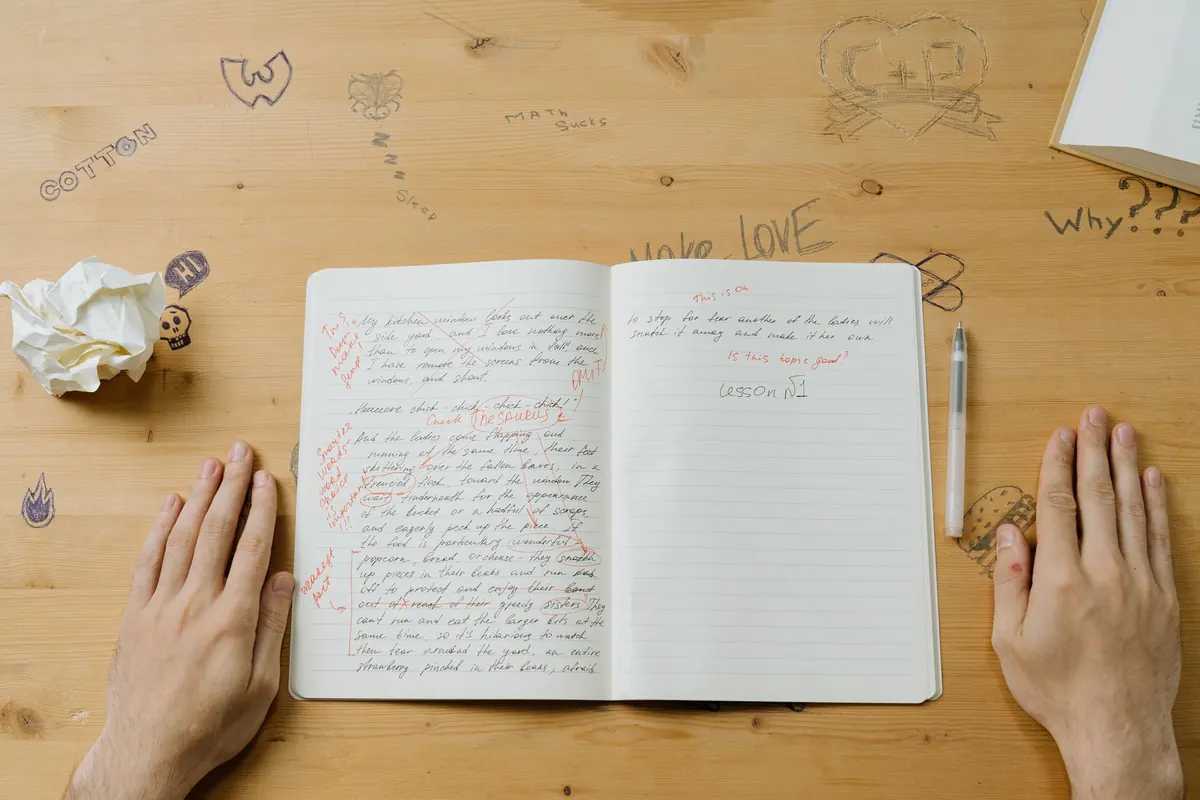
Editing on paper forces a different kind of attention. You read with a pen in hand, mark margins, and circle repeated words. Because you are not scrolling, you see the shape of the piece — where the argument sags, where a section runs long. Print a draft if you can, or read it on a tablet in a format that discourages fiddling, and mark it up as though it were someone else's work.
Digital editing wins on structure. If you suspect your middle section should come first, an app lets you try it in seconds and undo it just as fast. That low cost of experimenting is genuinely useful, especially for anything with headings, lists or a formal structure.
Version control without the clutter
One advantage people rarely mention: paper keeps its own history. Your crossed-out lines stay visible, and sometimes the rejected version is better than the replacement. Digital drafts overwrite silently unless you save copies deliberately. If you like seeing how a piece evolved, either keep numbered files or accept that paper records the process more honestly.
Portability: Where the Notebook Still Wins
A pocket notebook goes anywhere and never runs out of battery. Buses, queues, waiting rooms, the ten minutes before a meeting — these are where small ideas get caught. A phone can do the same job, but unlocking it invites distraction. If you draft on a phone, consider a notes app with the notifications disabled and the formatting stripped back.
For longer sessions, the balance shifts. A laptop is easier on the hands than a cramped notebook, and it carries every previous draft with it. Travelling writers often settle on a split: notebook for capture, laptop for assembly.
A Simple Workflow That Uses Both
You do not have to choose a side. A hybrid routine tends to get the best from each tool:
- Capture in a notebook. Keep one small book for fragments, lines and questions. Date each entry so you can find it later.
- Draft by hand for twenty minutes. No stopping to correct. If you stall, write the next sentence badly and carry on.
- Type it up within a day. Type exactly what is there at first, then edit as you go. This is where you fix spelling and tighten clauses.
- Restructure on screen. Move sections, cut what does not serve the piece, and check the flow by reading aloud.
- Print and mark up. Read the whole thing on paper with a pen. Circle anything that makes you stumble.
- Return to the file for the final pass. Apply the marks, then read once more without changing anything.
If printing is not practical, read the draft on a device in a mode that stops you editing — a reader view, a PDF, or a separate app. The point is to separate reading from rewriting.
Practical Considerations Before You Commit
- Searchability. Digital wins outright. If you often reuse material, keep a searchable archive even if you draft on paper.
- Backups. Paper can be lost in a fire or a misplaced bag; digital files can be lost to a dead drive. Keep both, and store digital work in at least two places.
- Cost. A notebook and a decent pen cost little, but the habit adds up over a year. Writing apps range from free to subscription-based, so check what you actually need before paying.
- Speed. Most people type faster than they write by hand. If you have a tight deadline, the keyboard usually wins.
- Physical comfort. Handwriting for hours can strain the wrist and hand. Take breaks, vary your grip and posture, and see a health professional if pain persists.
- Distraction. The single biggest factor. A notebook with a bad habit of daydreaming is still better than a laptop with twelve open tabs.
Choosing for the Piece in Front of You
Think about what this particular draft needs. If it is an early, shapeless thing that has to be coaxed out, take the notebook to a quiet table and write without stopping. If it is a second draft that needs cutting and rearranging, open the file and work there. If it is a short piece with a tight deadline, type it.
Keep a notebook and a writing app both within reach, and stop treating the choice as a loyalty test. The tool is only there to hold the words while you work out what you mean. Try one piece each way this month, notice where you stalled and where you flew, and let that decide the next one. Whatever you choose, protect the drafting time itself — that is the part no notebook or app can do for you.
Photo: Edar / Pixabay